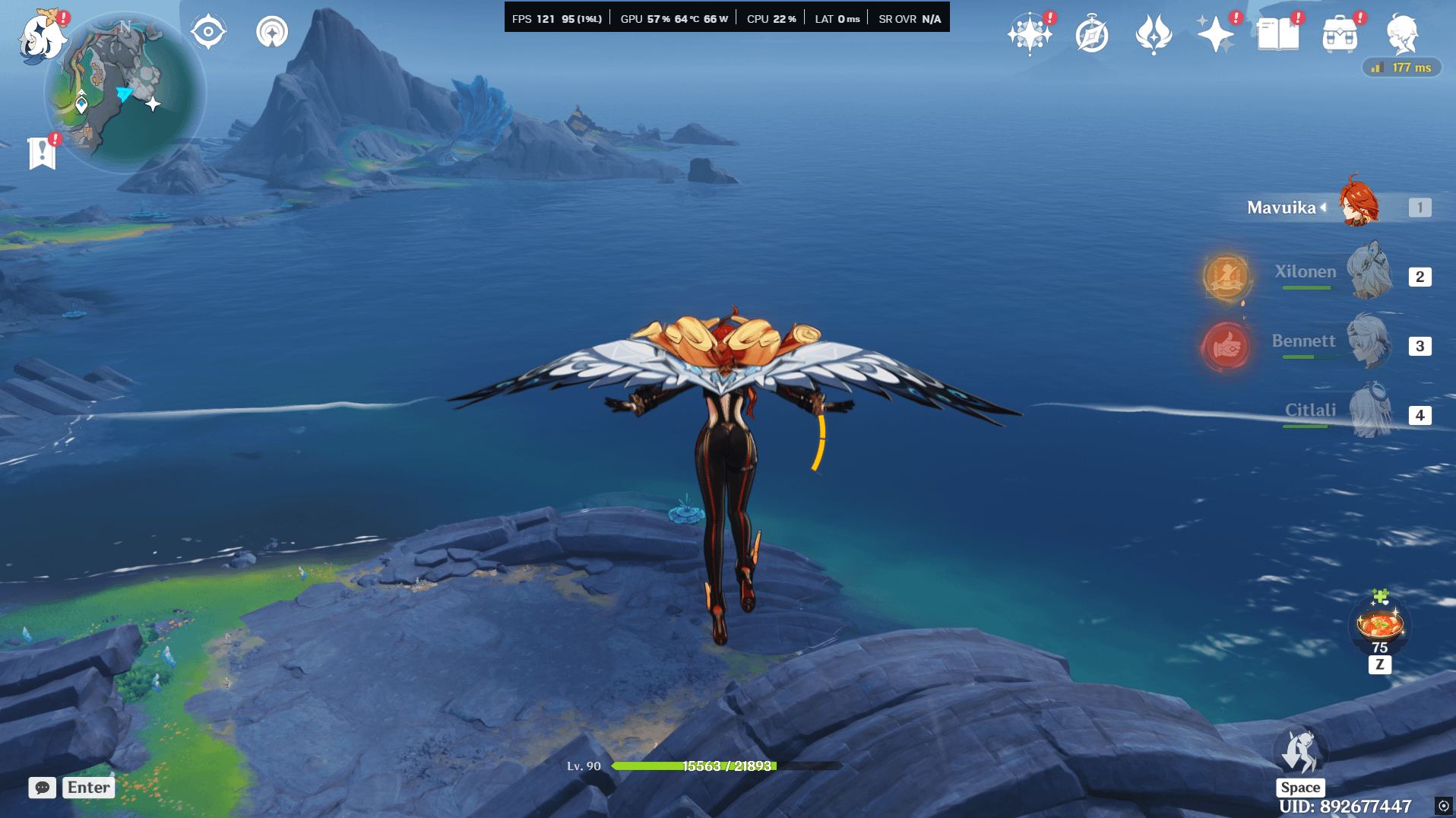
Smooth motion in Genshin Pc version feels really good
i used to get stutters once in a while, but using smooth motion fixes it, and also increases the fps cap to 120
Commentaires
frostN0VA2026-01-15 16:41
>increases cap to 120 fps
I mean that's the purpose of smooth motion - to double your FPS. Well, technically the game still feels like you're playing at 60 in terms of input lag and response, but you get smoother visuals at the cost of some occasional image distortion and artifacts.
VolumeLow24932026-01-15 16:53
You are right. Do you know how to remove stutters like without smooth motion? my 1%lows were always around 26 fps, which causes sudden stutter...
Tup3x2026-01-15 17:02
There's shader compilation happening. It's pretty annoying every time you update drivers or game gets major update. There's isn't much you can do assuming that your CPU is not a potato.
VolumeLow24932026-01-15 17:09
😭so its prolly cuz of new update right
frostN0VA2026-01-15 17:02
Hardware issue? Move the game to SSD if it's not there already? Could be many reasons.
VolumeLow24932026-01-15 17:09
i have already have it on ssd, and all drivers updated
frostN0VA2026-01-15 17:41
Does it happen all the time or only after updates/driver updates? Because the game will stutter after driver updates, especially after GPU driver updates, because of shader compilation. Basically when the game has to render a new special effect e.g. burst animation, it has to cache it hence the stutter, after you cast burst a second time there should be no stutter for it.
Any time you update GPU drivers, this shader cache gets invalidated and the game has to redo all of that again to avoid graphical glitches and render stuff properly.
It's not Genshin too, most games will do that, for some you will have increased initial loading time when you update GPU drivers, because they will be rebuilding shaders during the loading process and not while in-gameplay.
tl;dr if it's after GPU driver updates or game updates - it's normal to see intermittent stutter because of shader caching. If you see stutter all the time and it doesn't go away, it's probably your hardware/system.
VolumeLow24932026-01-15 18:37
i get it now. Recently there was a new Nvidia driver update, and even Genshin had a new update... righttt it makes sense now
Ecchify2026-01-15 18:30
tbf that's not gameplay wise 120fps, you'd need to use the fps unlocking mod for actual smoother gameplay
issm2026-01-16 01:30
Check your monitor OSD and see what refresh rate it's running at?
When I try turning smooth motion on, my GPU says it's rendering 120FPS, but my monitor says it's only refreshing at 60.
GrafonBorn2026-01-16 04:36
I just use fps unlocker and play at real 165 fps lol
VolumeLow24932026-01-16 15:25
is that safe to use? and how long have you been using it?
GrafonBorn2026-01-16 15:26
Using it since fontaine
VolumeLow24932026-01-16 19:39
can you please give me the link to it
GrafonBorn2026-01-17 12:03
I can't remember where I got it. Try looking at GitHub
Commentaires
I mean that's the purpose of smooth motion - to double your FPS. Well, technically the game still feels like you're playing at 60 in terms of input lag and response, but you get smoother visuals at the cost of some occasional image distortion and artifacts.
Any time you update GPU drivers, this shader cache gets invalidated and the game has to redo all of that again to avoid graphical glitches and render stuff properly.
It's not Genshin too, most games will do that, for some you will have increased initial loading time when you update GPU drivers, because they will be rebuilding shaders during the loading process and not while in-gameplay.
tl;dr if it's after GPU driver updates or game updates - it's normal to see intermittent stutter because of shader caching. If you see stutter all the time and it doesn't go away, it's probably your hardware/system.
When I try turning smooth motion on, my GPU says it's rendering 120FPS, but my monitor says it's only refreshing at 60.