I heard recently there was a ban wawe for linux users, and I’m afraid it could happen again, should i not worry?
Commentaires
KageYume2026-01-18 00:17
For Genshin, it's safe. I've been playing on my ROG Ally X (Bazzite Gnome) without issue.
The "ban wave" you heard was when hoyo updated the anti cheat in 5.8 but then Hoyo resolved it quickly for Linux users (just a few days after the ban report).
GameRageIT2026-01-18 00:22
Thank you, they just unbanned them?
KageYume2026-01-18 01:02
From what I've seen:
1. First they fixed the anti cheat so that it wouldn't flag Linux users (this was pretty quick).
2. About the banned ones, some asked customer supports and some just waited for the ban to expire (just a week iirc).
You can find the thread about it in /r/linux_gaming (around the time if 5.8).
Sea-Butterscotch11742026-01-18 00:58
How much more work does it take to set up genshin in Linux?
GameRageIT2026-01-18 01:06
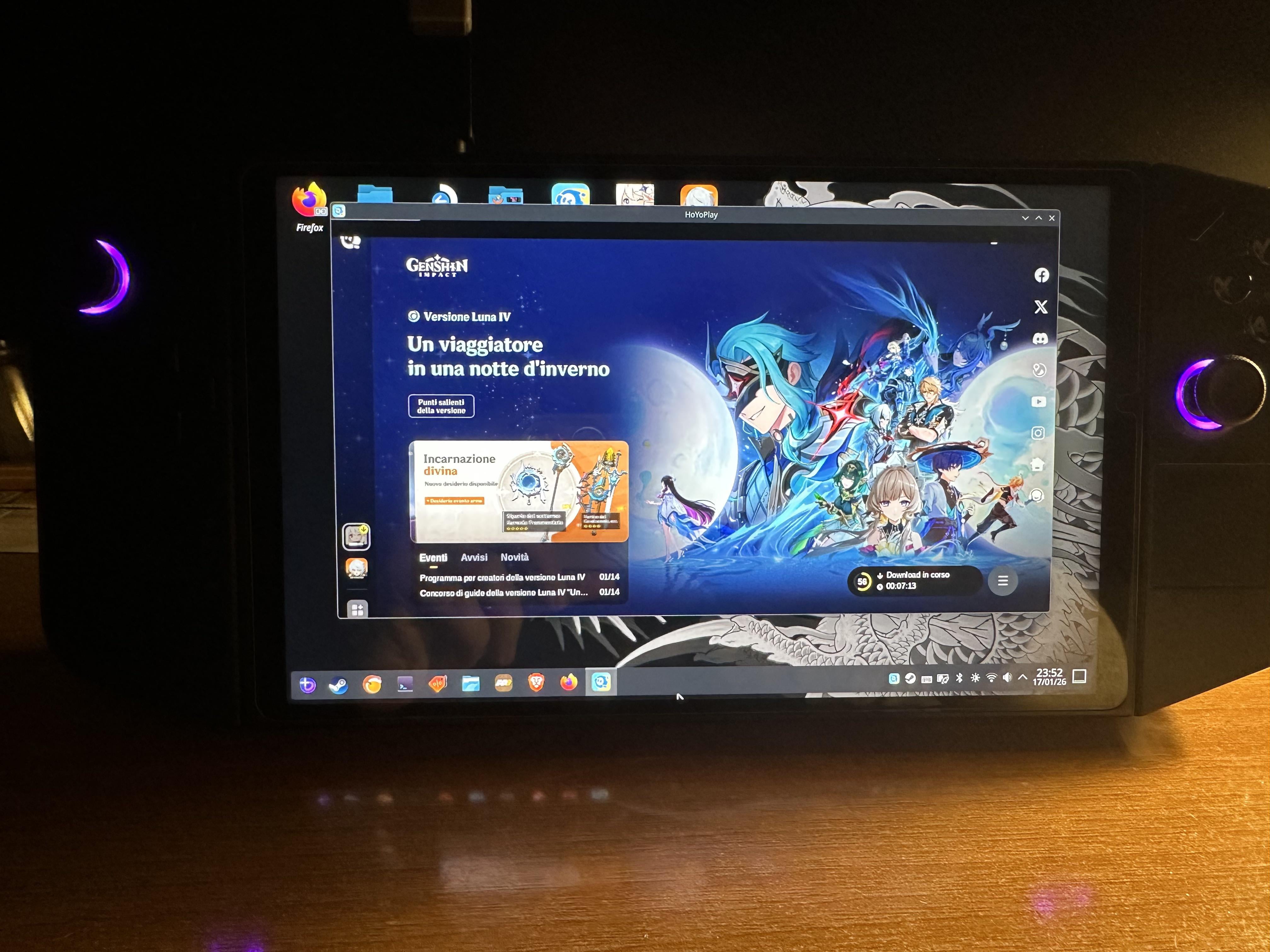
I installed nonsteamlaunchers, then i installed hoyoplay, then zzz and genshin and that’s it, if you need it i can link you a video tutorial
Sea-Butterscotch11742026-01-18 01:28
Sure. Honestly, it's mostly genshin that's keeping me tied down to Windows 10 because Idk how I'll continue with genshin if I installed Linux, which I almost did last week when I had to do a clean reinstall of Windows 10; I glanced at Linux for a bit, then reinstalled Windows anyway since I didn't wanna deal with what could go wrong had I taken the Linux plunge.
KageYume2026-01-18 01:45
There was a rumor this week that Hoyo games are coming to Steam and I think they might want to have them Deck-verified too.
LiDragonLo2026-01-18 19:30
If thats the case, major w on hoyo's part
Though i do wonder if/wen they'll drop on steam
GameRageIT2026-01-18 02:02
https://youtu.be/CdTPr0mDLiE
KageYume2026-01-18 01:08
Pretty easy to do, especially if you've installed Steam.
Method 1:
If you just want to play the game asap, just copy the whole game folder on windows to linux, add the exe to Steam as a non-Steam game and launch (if it doesn't start, set compatibility to Proton Experimental or GE Proton).
Method 2:
If you want to use Hoyo Launcher to download and update the game, add the installer exe of Hoyo launcher to Steam, run it to install the game. Then add the game exe to Steam and run it.
Method 3:
If you don't use Steam, you can use Lutris to do the same.
Commentaires
The "ban wave" you heard was when hoyo updated the anti cheat in 5.8 but then Hoyo resolved it quickly for Linux users (just a few days after the ban report).
1. First they fixed the anti cheat so that it wouldn't flag Linux users (this was pretty quick).
2. About the banned ones, some asked customer supports and some just waited for the ban to expire (just a week iirc).
You can find the thread about it in /r/linux_gaming (around the time if 5.8).
Though i do wonder if/wen they'll drop on steam
Method 1:
If you just want to play the game asap, just copy the whole game folder on windows to linux, add the exe to Steam as a non-Steam game and launch (if it doesn't start, set compatibility to Proton Experimental or GE Proton).
Method 2:
If you want to use Hoyo Launcher to download and update the game, add the installer exe of Hoyo launcher to Steam, run it to install the game. Then add the game exe to Steam and run it.
Method 3:
If you don't use Steam, you can use Lutris to do the same.